



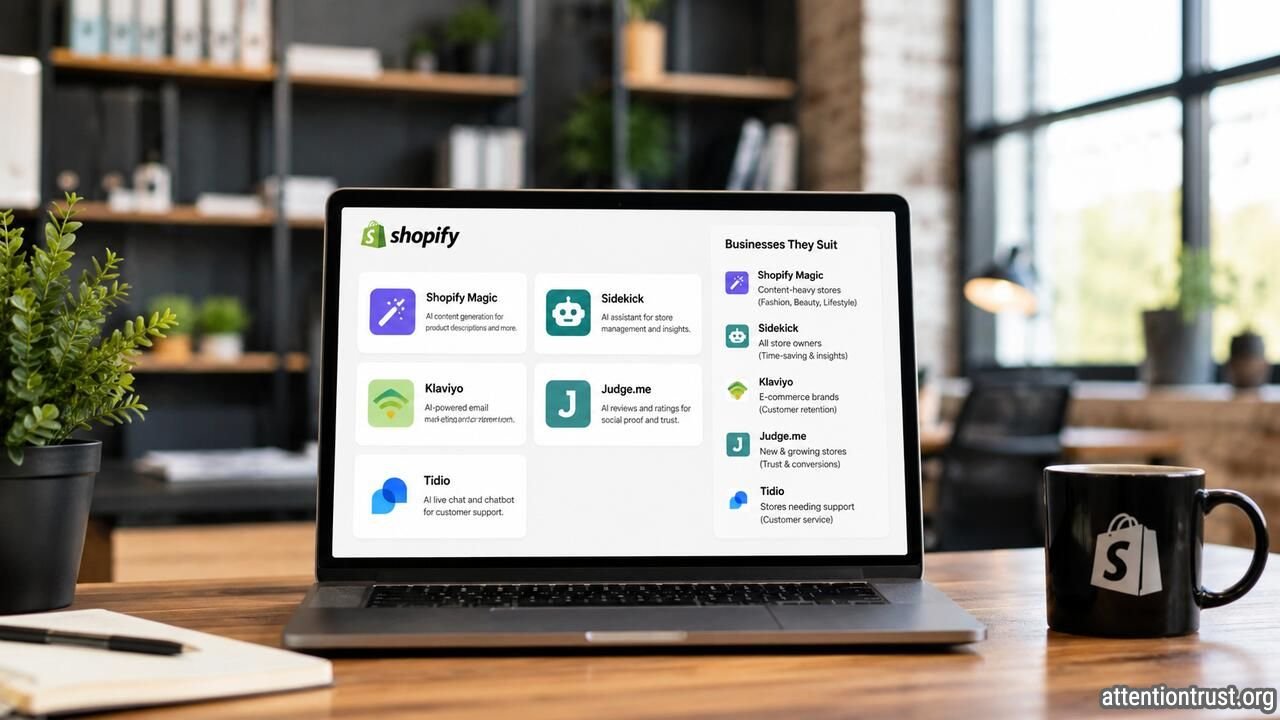
Shopify Sidekick, Klaviyo, Gorgias, Rebuy, and Triple Whale are five of the best AI tools for established Shopify stores in 2026. They help with store management, email marketing, customer support, product recommendations, and advertising analysis.
I do not think most store owners need all five. Start with the tool that solves the most expensive problem in your business. A busy warehouse may need better customer support. A repeat-purchase brand may need Klaviyo. A store spending heavily on Meta and Google may benefit more from Triple Whale.
Quick Comparison
| Tool | Best for | Pricing summary | My view |
| Shopify Sidekick | Store management and reporting | Included with Shopify plans | Best place to start |
| Klaviyo | Email, SMS, and customer retention | Free plan available; paid pricing scales with contacts and usage | Best for repeat-purchase stores |
| Gorgias AI Agent | Ecommerce customer support | Helpdesk fee plus AI-resolution charges | Best for high ticket volumes |
| Rebuy | Upselling and product recommendations | Package and order-volume based | Best for large or complementary catalogs |
| Triple Whale | Advertising and profitability analysis | Based on annual revenue and selected package | Best for larger advertising budgets |
Pricing and features were checked on August 5, 2026. Software companies can change their plans, limits, and fees.
1. Shopify Sidekick


Best for Daily Store Management
Shopify Sidekick is an AI assistant built into Shopify. It can help merchants create content, review store information, answer business questions, and complete administrative tasks without leaving the Shopify dashboard.
Sidekick is included with Shopify plans. Shopify says merchants do not pay an additional fee to use it, although access to some capabilities may depend on the store’s plan. Shopify Magic tools are also available without a separate charge.
I think Sidekick should be the first AI tool most Shopify owners test. It is already connected to the platform where they manage orders, products, customers, and reports.
Useful Shopify Tasks
Sidekick can help you:
- Draft product descriptions
- Summarize sales results
- Create customer segments
- Review products with falling sales
- Prepare reports
- Edit product information
- Generate marketing ideas
- Find information inside Shopify
A store owner could ask Sidekick to identify products with falling revenue during the last 30 days. The owner should then check inventory, traffic, conversion, returns, and promotional activity before making a decision.
Pricing
Sidekick is included in Shopify subscriptions. Current U.S. annual billing prices shown by Shopify include Basic at $29 per month, Grow at $79 per month, and Advanced at $299 per month. Shopify Plus starts from $2,300 per month. Regional prices and payment fees can differ.
Pros
- Already built into Shopify
- No separate AI subscription
- Uses store context
- Useful for reporting and administrative work
- Easy for nontechnical owners to test
Cons
- Answers still require review
- Not a replacement for an accountant or analyst
- Some capabilities vary by plan
- Weak or incomplete store data can produce weak conclusions
- AI-generated product and search content may contain errors
A Shopify Community user reported problems with Sidekick producing unreliable technical and search engine optimization information. That is one merchant’s public experience, not proof of a platform-wide failure, but it is a useful warning against applying important changes without checking them.
Best for
Sidekick is ideal for small and medium-sized stores where the owner still performs much of the Shopify administration.
I would use it for reports, first drafts, product organization, and routine questions. I would not let it make final pricing, tax, inventory, or search strategy decisions without review.
2. Klaviyo

Best for Email Marketing and Repeat Purchases
Klaviyo connects Shopify customer data with email, SMS, segmentation, automated marketing flows, and reporting.
Its AI tools can create customer segments, build flows from natural-language instructions, draft campaigns, and monitor performance. Klaviyo can use browsing, cart, purchase, and customer data from Shopify to trigger more relevant messages.
Klaviyo is not necessary for every store. I think it becomes valuable when the business already has customers and a realistic reason for them to purchase again.
Useful Shopify Tasks
Klaviyo can help create:
- Welcome email sequences
- Abandoned-cart reminders
- Browse-abandonment messages
- Post-purchase instructions
- Back-in-stock alerts
- Product-replenishment reminders
- Customer win-back campaigns
- VIP customer segments
- Cross-sell emails
- SMS campaigns
A skincare, coffee, pet food, fashion, or supplement store may have strong repeat-purchase opportunities. A store selling expensive equipment that customers replace once every ten years may receive less value.
Pricing
Klaviyo offers a free plan. Paid pricing changes according to the number of customer profiles, email volume, messaging channels, and selected products. Its public pricing calculator showed a sample total of $45 per month when checked, but the actual fee depends on the merchant’s list size and configuration.
This is where business owners need to be careful. Klaviyo can look inexpensive during setup. Costs rise as the contact database grows.
Pros
- Strong Shopify integration
- Excellent customer segmentation
- Useful automated email flows
- Supports email, SMS, WhatsApp, and other channels
- Good fit for repeat-purchase businesses
- Connects campaigns with customer behavior
Cons
- Cost increases as the database grows
- Requires list cleaning and maintenance
- Setup can become complicated
- Weak campaigns can annoy customers at scale
- Reported revenue may overstate the campaign’s real contribution
- Consent and deliverability need careful management
One recurring implementation issue is subscriber consent. A Klaviyo Community user reported that Shopify contacts appeared in Klaviyo but were not treated as email subscribers because of the consent status passed through the integration. This does not mean the integration is unreliable, but merchants should test forms, checkout consent, and list enrollment before launching campaigns.
Best for
Klaviyo is ideal for established stores with:
- A meaningful customer database
- Repeat-purchase products
- Regular promotions or launches
- Enough traffic to build useful segments
- Staff who can manage campaigns and deliverability
My view is simple. Use Klaviyo when customer retention is a real growth opportunity. Do not pay for advanced automation when your store still lacks traffic, subscribers, or product demand.
3. Gorgias AI Agent
Best for Customer Support
Gorgias combines an ecommerce helpdesk with an AI customer-service agent.
The AI Agent can answer common questions, track orders, explain policies, assist with returns, recommend products, and use live customer or inventory information. Gorgias says the product can automate more than 60% of routine support interactions, although actual results will depend on the store and its setup.
I think Gorgias makes the most sense for stores with warehouses, large order volumes, several delivery methods, or busy support teams.
Useful Shopify Tasks
Gorgias can handle questions such as:
- Where is my order?
- Can I change my delivery address?
- Is this product in stock?
- What size should I order?
- How do I return an item?
- When will this product be available?
- Which product fits my needs?
- Can I cancel my order?
The best starting use cases are repetitive and low risk. Order tracking is easier to automate than a disputed refund.
Pricing
Gorgias charges for its helpdesk and AI Agent separately.
The company says most AI Agent plans cost approximately $0.90 for each conversation fully resolved by AI. Starter arrangements begin at $1, and higher plans include different resolution allowances. Overage fees apply when merchants exceed their limits.
The main pricing page showed a basic helpdesk option starting at $40 per month and a Pro plan starting from $300 per month for 2,000 tickets. The final price depends on ticket volume, AI resolutions, billing frequency, and added products.
Pros
- Built specifically for ecommerce support
- Connects with Shopify order and customer data
- Can reduce repetitive tickets
- Offers fast responses outside office hours
- Supports product recommendations
- Transfers complex cases to employees
Cons
- Costs increase with ticket and resolution volume
- Requires accurate policies and product information
- Incorrect answers can damage customer trust
- Refunds and complaints still need human review
- Too expensive for stores with few support tickets
- Setup and monitoring require staff time
Best for
Gorgias is ideal for medium-sized and large Shopify stores handling hundreds or thousands of monthly support conversations.
I would begin with order tracking, delivery questions, basic returns, and common product information. I would keep chargebacks, expensive refunds, legal complaints, safety issues, and unusual policy exceptions under human control.
4. Rebuy

Best for Upselling and Product Recommendations
Rebuy is a Shopify personalization platform. It provides AI-powered recommendations, bundles, cart offers, merchandising widgets, and post-purchase upsells.
Its recommendation tools can display relevant products across the homepage, product pages, cart, landing pages, emails, and thank-you pages.
Rebuy will be most useful when the store has a large catalog or products that naturally belong together.
A warehouse selling tools, spare parts, office supplies, beauty products, pet products, or food may have strong cross-selling opportunities. A store selling one specialist product may not need an advanced recommendation engine.
Useful Shopify Tasks
Rebuy can create:
- Frequently bought together offers
- Product-page recommendations
- Cart upsells
- Bundles
- Free-gift thresholds
- Post-purchase offers
- Subscription recommendations
- Complementary product suggestions
- Higher-value alternatives
A furniture hardware store might recommend compatible screws, brackets, tools, or replacement parts. That is useful. Showing an unrelated high-margin product is not personalization.
Pricing
Rebuy uses a package-based structure, and its website asks merchants to build a plan based on the features they need. Pricing can also change with monthly order volume and account type. Rebuy does not present one simple public price that applies to every Shopify store.
Merchants should request or calculate the exact price for their order volume before starting a trial.
Pros
- Strong Shopify focus
- Useful product recommendation features
- Supports bundles and cart upsells
- Can increase product discovery
- Works across several parts of the customer journey
- Good fit for stores with complementary products
Cons
- Pricing is less transparent than a simple fixed subscription
- Cost can rise with order volume
- Limited value for small catalogs
- Too many widgets can clutter the store
- Recommendations may reduce trust if they are irrelevant
- Discounts can increase revenue while reducing profit
Best for
Rebuy is ideal for stores with:
- A large product catalog
- Strong website traffic
- Complementary products
- Healthy gross margins
- Regular order volume
- Clear upselling opportunities
I would test one cart offer or product bundle first. Do not redesign the entire buying experience before confirming that shoppers respond well to a smaller test.
5. Triple Whale

Best for Advertising and Ecommerce Analytics
Triple Whale brings ecommerce, advertising, customer, and financial data into one analytics platform.
Its Moby 2 AI system can answer questions about the business, recommend budget changes, analyze campaigns, prepare reports, build customer segments, forecast inventory, and queue actions for approval. Triple Whale says Moby can work with Meta, Google, TikTok, Klaviyo, Shopify, and other connected systems.
I think Triple Whale is aimed at a different type of merchant than Sidekick. It is more suitable for businesses spending enough on advertising for better analysis to affect real budget decisions.
Useful Shopify Tasks
Triple Whale can help investigate:
- Customer acquisition cost
- Advertising performance
- Product profitability
- New versus returning customer revenue
- Marketing contribution margin
- Budget allocation
- Creative performance
- Inventory demand
- Campaign trends
- Channel comparisons
A store spending $2,000 per month on advertising may not need a sophisticated attribution platform. A brand spending $100,000 per month across several channels has a much stronger case.
Pricing
Triple Whale prices paid plans according to annual gross merchandise value and the selected package. Its pricing page showed paid pricing from $549 per month when checked. Paid plans include unlimited users and connections to multiple stores.
Moby usage is also measured through an included monthly allowance. The amount and additional usage rate depend on the store’s plan and annual sales level.
Pros
- Combines data from several ecommerce systems
- Useful for multichannel advertising
- Provides AI-assisted analysis and actions
- Can help with inventory and campaign decisions
- Unlimited users on paid plans
- Stronger fit for larger ecommerce teams
Cons
- Expensive for small stores
- Attribution is never perfectly certain
- Requires accurate cost and margin data
- Can become another dashboard nobody acts on
- AI usage may create additional costs
- Recommendations still need management approval
Best for
Triple Whale is ideal for:
- Large direct-to-consumer brands
- Stores with substantial advertising budgets
- Multichannel marketing teams
- Businesses managing several Shopify stores
- Companies that need deeper profit and attribution analysis
I would not buy Triple Whale only because Meta, Google, and Shopify report different numbers. Those platforms use different attribution methods, so disagreement is normal.
Use Triple Whale when the business needs one consistent measurement system and has enough advertising complexity to justify the monthly cost.
Which Tool Should You Choose?
| Your main problem | Best tool |
| Store administration takes too much time | Shopify Sidekick |
| Customers rarely return to buy again | Klaviyo |
| Support staff answer the same questions repeatedly | Gorgias |
| Customers buy one item instead of related products | Rebuy |
| You cannot judge advertising profitability | Triple Whale |
Do not begin by asking which tool has the most features.
Ask which business problem is currently costing the most money or time.
A warehouse with thousands of monthly orders may benefit from Gorgias. A cosmetics brand may receive more value from Klaviyo. A large catalog may justify Rebuy. A heavily advertised direct-to-consumer company may need Triple Whale.
A smaller owner-operated store should usually begin with Sidekick.
Pros and Cons of Using AI in a Shopify Store
Main Benefits
- Faster administrative work
- More relevant customer communication
- Quicker support responses
- Better product discovery
- Improved reporting
- Less repetitive employee work
- More consistent routine processes
Main Risks
- Incorrect customer answers
- Unnecessary software costs
- Too many overlapping apps
- Privacy and consent problems
- Irrelevant recommendations
- Misleading analytics
- Excessive discounts
- Weak human oversight
The biggest mistake is adding several AI apps at once. This makes it difficult to identify which tool improved the store and which one added cost or complexity.
Final Verdict
Shopify Sidekick is the best first AI tool for most Shopify store owners. It is already included with Shopify and can assist with reporting, content, products, and administrative work.
Klaviyo is best for stores with repeat customers. Gorgias is best for high support volumes. Rebuy is best for large catalogs and complementary products. Triple Whale is best for businesses with substantial advertising spend.
My recommendation is to choose one tool and test one workflow.
Do not build an expensive AI software stack when the store still has problems with product demand, delivery, pricing, or customer trust. AI works best when it improves a business process that is already understood.
Frequently Asked Questions
What is the best free AI tool for Shopify?
Shopify Sidekick is the best place to start because it is included with Shopify subscriptions. Shopify Magic tools are also available without a separate AI fee, although features can vary by plan.
Which Shopify AI tool is best for increasing sales?
Klaviyo is best for repeat purchases and abandoned carts. Rebuy is better for upsells, bundles, and product recommendations. Gorgias may improve sales by answering pre-purchase questions quickly.
Is Klaviyo worth using for a small Shopify store?
Klaviyo may be useful for a small store with a growing subscriber list and repeat-purchase products. It is less valuable when the store has little traffic or very few customers.
Does a Shopify warehouse need Gorgias?
A warehouse does not automatically need Gorgias. It becomes useful when order tracking, delivery questions, returns, and product inquiries create a large support workload.
Is Triple Whale suitable for small Shopify stores?
Triple Whale is usually difficult to justify for a small store with limited advertising. Shopify’s native reports and Sidekick may be sufficient until marketing activity becomes more complex.


