
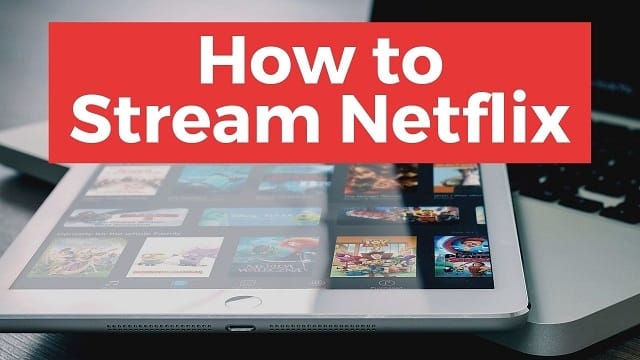
Today we will see how you can watch Netflix on television, one of the best ways to enjoy the great entertainment catalog of this platform video streaming platform. If you want to watch Netflix movies and series, you are in luck, because there is practically a solution for every situation.
The easiest way to watch Netflix on television is through its official application, available on a good number of smart TVs. If you do not have one, do not worry, you have a lot of alternatives available to take Stranger Things, Bright and so many other series to your television.
1. With the Official Smart TV app –Smarttv

One of the best ways to enjoy Netflix on television is through its official application for Smart TV. It is available for some smart TV models.
There are many models of TVs with Netflix compatibility, although Netflix itself highlights some of them with the distinction Recommended Televisions for Netflix based on concepts such as how long it takes to open the application or if the interface is in high resolution. It is not necessary that your TV is between them, but that you have a Smart TV platform of the previous brands, moderately updated. In case of doubts, consult the specifications of your television.
In each TV the process may vary slightly, but it is in all cases similar. If the Netflix application is not installed at the factory, you should look for it and install it from the store, on the same TV. When you open it you will be asked for the username and password of your Netflix account, and from that moment you will be able to access all the content, controlling the playback from the remote control.
2. With Chromecast and Other ‘Dongles’- Cast1
If your TV is not smart – or does not have a Netflix application – you can use an external device such as Chromecast to make it “smarter”. Chromecast is one of the most popular and versatile dongles, it connects directly to the TV through the HDMI connection and obtains power from a USB, also on TV.
The Chromecast acts only as an intermediary, and you need another device to send content to it, usually a mobile, tablet or computer. From the Netflix website, if you use Google Chrome, you can send to Chromecast by clicking its button (previous screenshot) and then choosing your Chromecast from the list.
3. With Amazon Fire Stick and TV Boxes- Firetv
These devices connect to the TV, usually via an HDMI cable, and are connected to the Internet. They have their own remote control and their own application store, where you must search and download the official Netflix application for the system.
Once you have the official application, all you have to do is log in and you can start enjoying the content of Netflix in a way very similar to what you would with a Smart TV, and with more control than through the Chromecast. One can do more research on Google regarding this topic.
4. With a Video Game Console- Netflix App

Usually the first thing you will need is to download the Netflix application from the console store. Open the application, log in with your user account and you have everything ready to watch Netflix on TV thanks to your console.
5. With an HDMI Cable – Hdmi
If all the above fails, you will always have the option of connecting a computer directly to the TV using an HDMI cable like the previous one. The HDMI connection has the main advantage of transmitting audio and video, without any configuration or process: connect one end to your computer to your PC and the other to your TV, and you will see the PC screen on TV. If it does not change automatically, you must change the “source” with the remote control.
Read Also: Top 11 Business Movies
